Zoom Meetings for Kommo
The whole Zoom meeting cycle — right in the lead
Create Zoom meetings from the lead card. Actual start and end, duration, participants, the recording and the transcript appear in the feed automatically.
Free · set up in a few minutes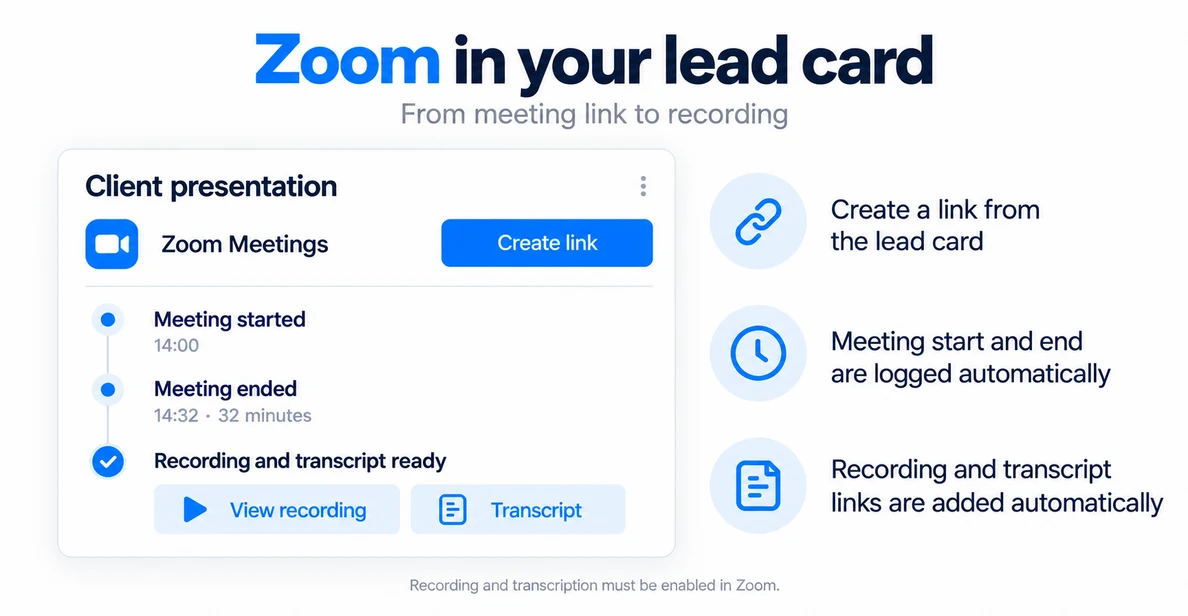
What Zoom Meetings does
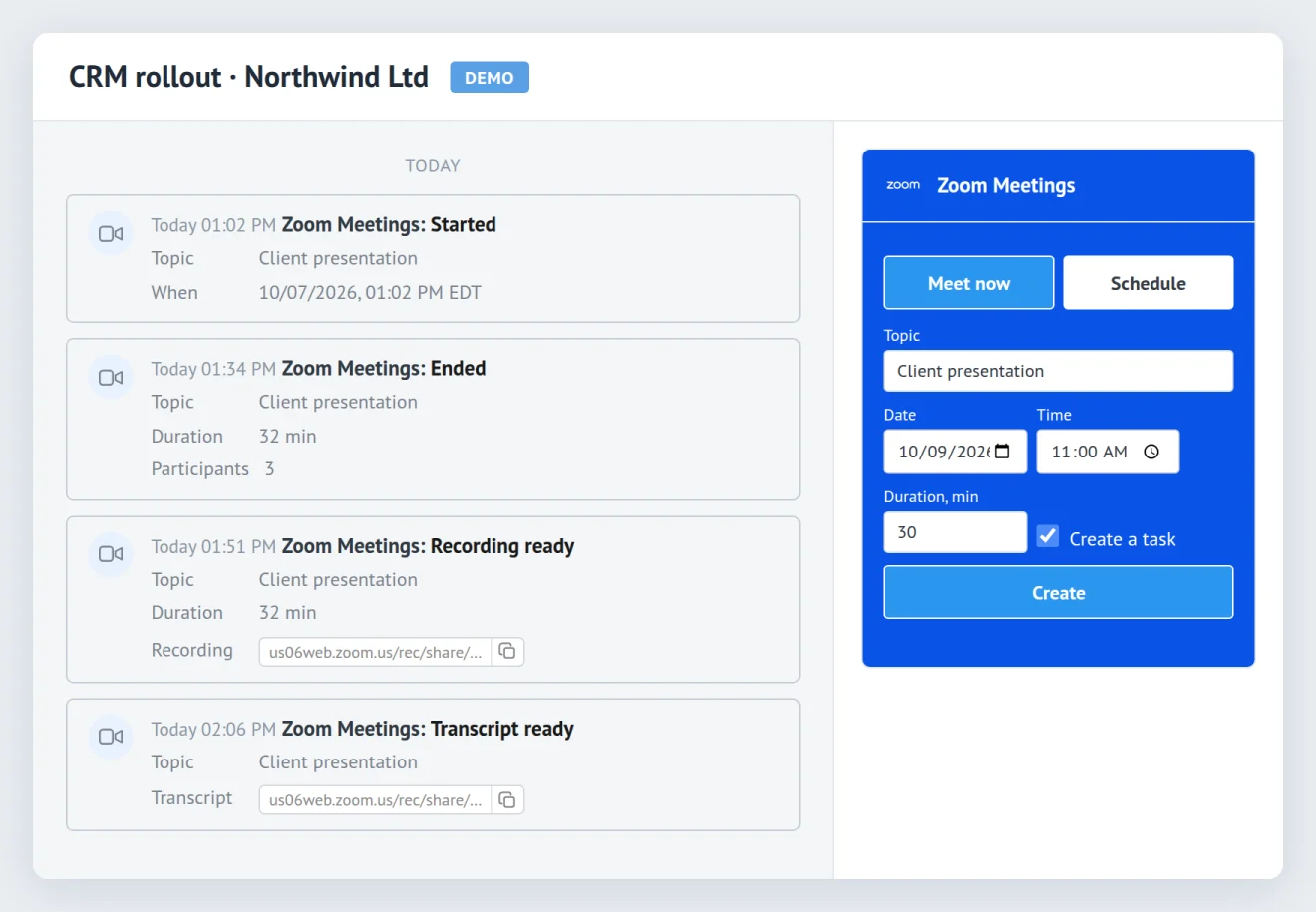
Create a meeting in the lead — the following Zoom events land in the feed automatically.
A meeting from the lead card
Meet now — create a Zoom meeting and get the link right away.
Schedule — set the topic, date, time and duration. The widget creates the meeting and a Kommo task.Actual start and end
Zoom tells the CRM when the meeting really started and ended. The feed keeps: start · end · duration · number of participants.
Recording and transcript
Once Zoom processes the cloud recording, its link appears in the lead automatically. The administrator chooses how to keep the transcript: as a file · as a link · both · not at all.
Notifications
The lead owner can get notified: meeting started · ended · recording ready · transcript ready. The administrator picks which events to use.
From creating a meeting to the recording
- Meeting created in the lead
- The Zoom meeting started
- The meeting ended
- Zoom processed the recording
- Recording and transcript are in the lead
Zoom Meetings and Kommo’s built-in Zoom integration
The built-in integration already creates a meeting and saves the recording. Zoom Meetings adds data about the meeting itself and automates what happens next.
| Rep’s report | Kommo’s built-in Zoom integration* | Zoom Meetings | |
|---|---|---|---|
| Meeting link from the lead card | |||
| Meeting recording in the lead | |||
| Actual meeting start | |||
| Duration and number of participants | |||
| Conversation transcript in the lead | |||
| Rescheduling and cancellation in the feed | |||
| Notifications to the lead owner on start and recording |
* Per Kommo’s help article on the built-in Zoom integration as of October 7, 2026: what the article doesn’t mention is marked as missing. The “Rep’s report” column marks what reaches the lead without the rep’s involvement.
What you need
There is nothing to pay for the integration. The requirements come from Zoom only.
Meetings
Any Zoom plan. On the Basic plan Zoom ends meetings after 40 minutes — such users are flagged in the integration settings.
Recording
Zoom cloud recording. Licensed users on Pro, Business and Enterprise plans have it.
Transcript
Zoom audio transcript: Pro plan or higher, with cloud recording and transcript enabled in the account.
Setup in five steps
- Press Install and choose the Kommo account.
- Open the integration and press Save — that is what activates it.
- Press Sign in to Zoom and allow access. An administrator does this once for the whole company.
- Match your users with Zoom users — automatically by e-mail or by hand.
- Open a lead: the Zoom Meetings block sits in the right-hand column.
Free · connect Zoom in a few minutes
FAQ
Kommo already has a Zoom integration. Why another one?
Do we need a paid Zoom plan?
Who hosts the meeting?
How many meetings can we create?
Does the integration create fields in the lead?
Can we keep transcripts out of the CRM?
What data does the integration take from Zoom?
What happens if we disconnect Zoom?
How much does it cost?
Connect Zoom to your Kommo leads
Create meetings from the lead. Start, end, recording and transcript will be added automatically.
Free · set up in a few minutes