Hired more reps,
but sales didn't grow?
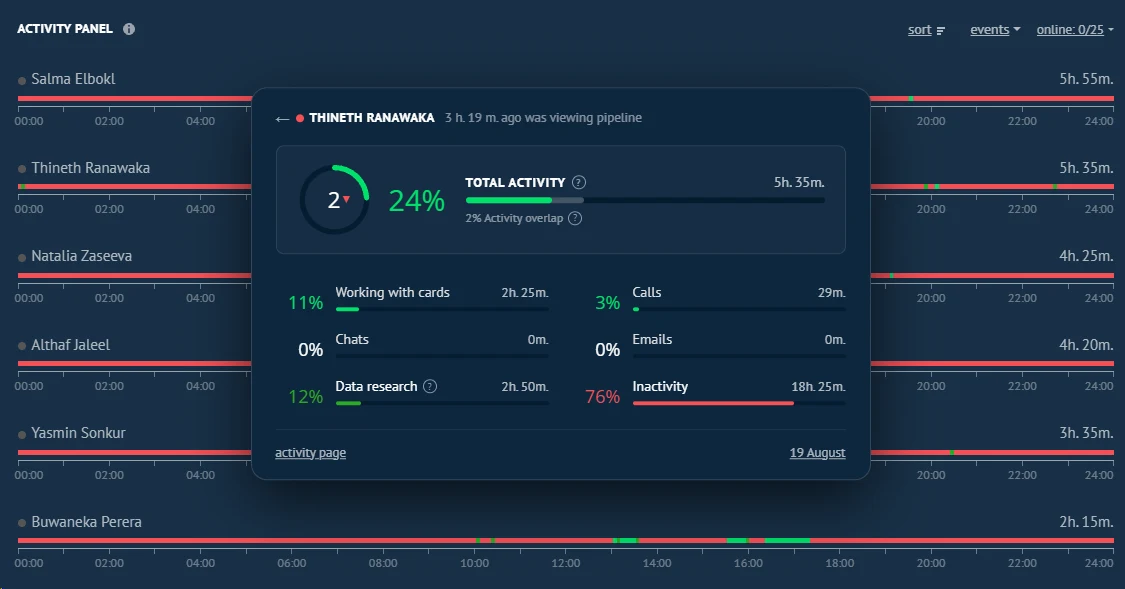
Activity Panel shows in Kommo who actually works and who just pretends: calls, chats, tasks and deals of every rep — on one screen. Facts, not verbal reports.
Recognize your sales team?
Four situations almost every manager knows — and that are impossible to spot while the team's work stays invisible.
Busy all day, but revenue is flat
Reps are 100% busy, the CRM is full of deals, calls are happening — but the target sits at 60–70%. You hire more people, and sales still don't grow.
Leads slip through
Some inbound is handled on day three, or not at all. «Promised to call back — and forgot». The money goes to the competitor who answered first.
Remote, you can't see who's working
Monitoring a remote sales team by gut is impossible: until you see the rep, you don't know if they're calling. And everyone's learned to fake looking busy.
On paper the work is buzzing, but no results
In the meeting everyone's «busy» and «the client is thinking». Who's actually selling and who's hiding behind other people's words — you can't tell by ear.
You might not know your team «loses»
of inbound leads
While your reps' work is invisible, the losses look small. Like «eh, we lost a couple of clients». In reality it's dozens of deals a month and salaries «burned» on people who only pretend. The leak happens every day. Unnoticed.
See your team — 14 days, no cardSales activity tracker: your team's radar
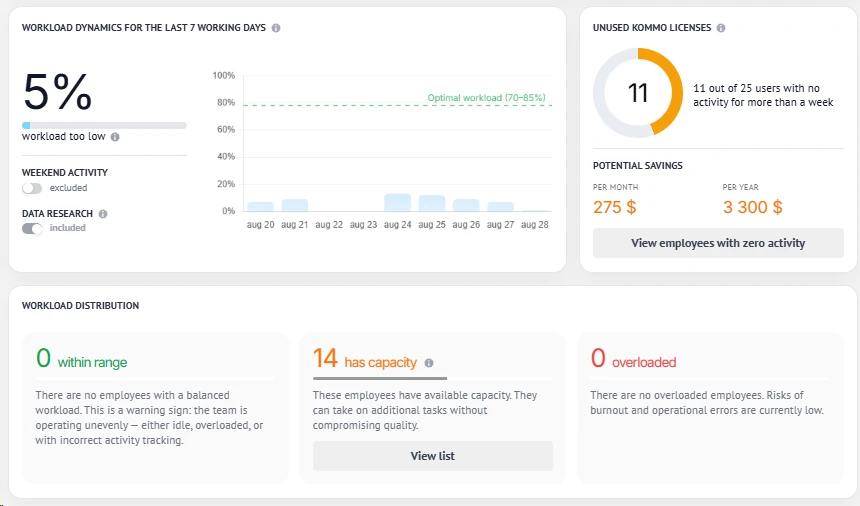
Activity Panel turns sales team management and each rep's activity tracking into one clear sales dashboard: you stop guessing — and start seeing.
You see who's actually working
Per sales rep — who's in action now, who stepped away, who's offline.
Top performers and weak links — instantly
A performance ranking by activity shows who's rising and who's underperforming — no manual analysis.
A «snapshot» of the workday in seconds
One glance is enough to see who produced today and who idled.
Facts instead of opinions
«Not in the CRM — didn't happen». Decisions on bonuses, workload and hiring based on data, not gut feeling.
Sales team monitoring vs meetings and «spyware»
Sales tracking can be done in many ways. The difference is in what you actually see — and at the cost of which trust from your team.
| Paper reports | Meetings | «Spyware» | Activity panel | |
|---|---|---|---|---|
| Real-time data | ||||
| No distortion | ||||
| No fitting to the result | ||||
| Reflects all CRM activity | ||||
| Doesn't waste employees' time | ||||
| Positive effect on motivation |
More productivity when the work is visible
Managers install the panel not to control for control's sake, but to stop paying for pretense and decide on targets, sales metrics and KPIs and each rep's performance based on facts.
«We installed the panel — and it turned out the team really worked only a couple of hours a day. We replaced two people and hit the target on the same budget.»
«I stopped believing verbal reports. I open one screen and see who's working today and who's faking it.»
Costs less than one call not made
Monthly
per account, no user limit
Annual
per account, no user limit
Save US$ 90 ≈ 2 monthsYou pick the plan after installing — inside the widget. No payment needed now.
Frequently asked questions
Is this employee surveillance?
Can reps «inflate» their activity?
How is it different from standard CRM reports?
What sales reports and analytics does it give?
Can I monitor a remote sales team?
Is it hard to set up?
What happens after the trial?
Is billing per rep or per account?
Turn on visibility today
First team numbers in 15 minutes
Stop paying for pretense. Install the panel and see who really drives sales.
14-day trial · no card · Kommo CRM