One customer — three cards.
And three different answers to
“how many customers do we have?”
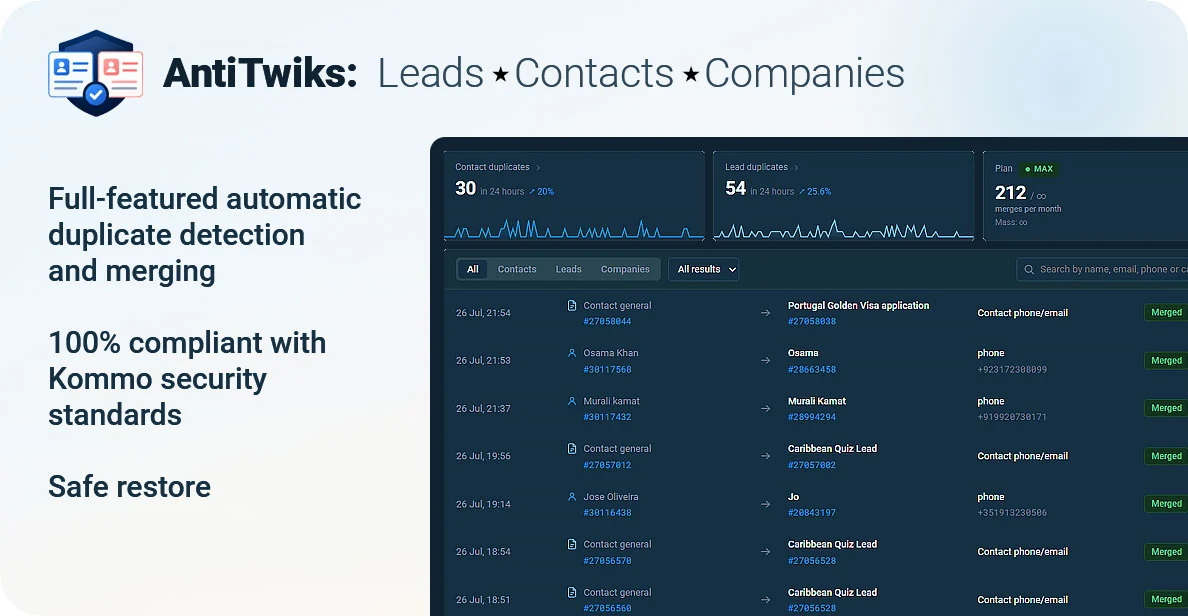
AntiTwiks is anti duplicates for Kommo: it finds duplicate leads, contacts and companies by phone and email and merges them into one card —
the moment they appear and in bulk across your whole database. Without deleting anything.
What duplicates actually break
Duplicate records look like minor mess in the database. They cost more than that: reports, commissions and repeat sales all break on them.
You don’t know how many customers you have
The same person lives in three cards, and the pipeline counts them three times. Conversion rate, cost per lead, the quarterly plan — all calculated on numbers you can’t trust.
Two reps sell to the same customer
Each is certain the enquiry is theirs: it landed on a brand-new card. The customer gets two calls and two different quotes, and you get to settle the commission argument.
The customer’s history is torn in half
The chat sits on one card, the payment on another, the task on a third. The customer comes back six months later and the rep starts from zero: “Have you bought from us before?”
Manual clean-up never ends
An admin spends a week merging cards by hand, and a month later the duplicates are back: every new enquiry from the same number creates yet another card.
The cost of a dirty database is already measured
These are not our estimates. These are industry studies that surveyed thousands of companies and CRM admins.
of companies lose customers to duplicate or repeated outreach caused by poor data
Survey of 1,200 CRM admins across 606 organisations (Validity, State of CRM Data Management 2022).
Duplicates are not clutter.
They are lost customers.
How AntiTwiks pulls a customer back into one card
The integration works in two modes: it catches a duplicate the moment it appears, and it clears out everything that has piled up over the years.
Real-time detection
Every new card is checked against the database by phone and email right after it is created. You set the delay and the name-similarity threshold yourself.
Bulk merge across the database
One run handles years of build-up: the integration pulls the base once, indexes it on our side and finds duplicates without firing thousands of search requests at your CRM. Progress is shown step by step.
Everything that matters moves
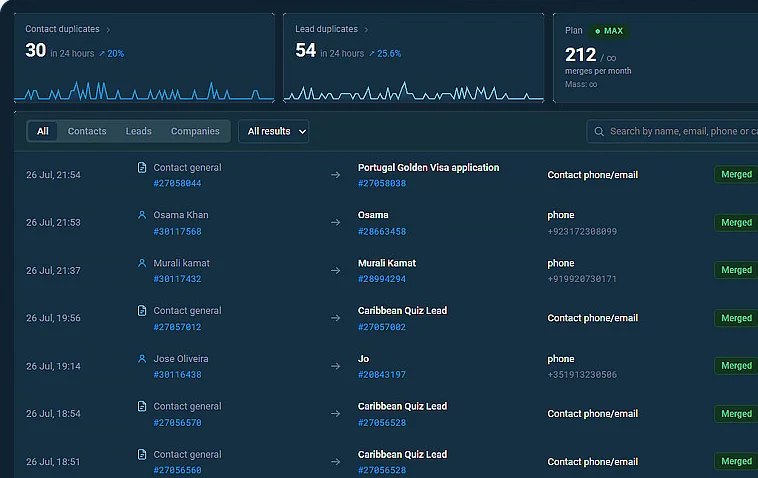
Fields, tags, tasks, linked leads and companies and chat history move to the main card. Phone numbers and emails are merged without repeats in different formats.
One-click un-merge
A snapshot of both cards is stored before every merge. Changed your mind — the integration puts the fields and links back. Undo window: 15, 30 or 90 days depending on the plan.
One customer. One card.
Kommo no longer lets integrations delete cards
Under the current security standards for public integrations, deleting contacts, leads and companies is closed at the API level: there simply is no delete method, and the request comes back as an error. It protects you from a third-party app wiping your database with a single bug. Which means no legitimate integration can “just delete the duplicate” today — ours included. We don’t work around that rule. We built something that gives the same result without putting your data at risk.
What AntiTwiks does instead of deleting
It moves
Fields, tags, tasks, linked leads and companies and chat history go to the main card. Not a single line of data disappears — it simply ends up where people will look for it.
It neutralises
Contact or company: every custom field is cleared and the card is renamed to “Duplicate (merged)”, so it stops surfacing in search and stops attaching itself to new deals. A duplicate lead is closed as “Closed — lost” with the loss reason “Duplicate”.
It flags for deletion
Once the undo window is over and the card is no longer needed, a nightly job tags it To_delete. You filter the list by that tag and delete the spent duplicates in bulk — by hand, inside the CRM, where the right to delete belongs to you alone.
It leaves a way back
While the undo window is open, any merge can be taken apart again: fields go back to the duplicate, links and tasks return to where they were. You can undo a single merge or the result of an entire bulk run.
There is a pleasant side effect: as long as the duplicate physically exists, a mistake is reversible. The tools that deleted cards never left you that option — which is exactly why the platform closed deletion for everyone.
The other ways people fight duplicates — and how they end
The methods differ and so do the results. The difference is what happens to the customer’s history, and whether you can undo it.
| By hand, card by card | Export and re-import | Kommo’s built-in duplicate control | AntiTwiks | |
|---|---|---|---|---|
| Catches the duplicate as it is created | ||||
| Leads, contacts and companies | ||||
| Clears the whole database in one run | ||||
| Moves tasks and chat history | ||||
| One-click un-merge | ||||
| Needs no delete permissions |
Not our numbers — published research
CRM data quality has been studied for years on large samples. Everyone lands in roughly the same place.
“75% of respondents said duplicate and/or inadequate outreach driven by poor data quality loses their company customers.”
“Poor data quality costs organisations an average of $12.9 million per year.”
Plans
Priced per account, not per user. You can start at zero, with no card.
START
- Real-time duplicate detection — duplicates get tagged
- 100 bulk merges a month
- 15-day undo window
PRO
- Real-time auto-merge — 500 a month
- 3,000 bulk merges a month
- 30-day undo window
MAX
- No limits at all — real time and bulk
- Queue priority, two runs at once
- 90-day undo window
You choose the plan inside the integration. Nothing to pay right now.
Frequently asked questions
Kommo already has duplicate control. Why add a widget?
Kommo duplicate control is not working — why?
Why doesn’t it delete duplicates?
Can data get lost?
What if it merges the wrong cards?
Will it slow my CRM down?
How long does a bulk merge take?
What do I get on the START plan?
Put the customer back in one card
Installation takes a couple of minutes. The first run shows how many duplicates your database is already carrying.
START plan — $0 · no card required · Kommo